Craterborn — a free multiplayer io game with PvP and loot
About the game · beta
If you like .io games for how fast they start — open a tab, press play, you are in — Craterborn starts the same way. There is no download, no account and no lobby to wait in: press “Play” and a moment later you are in the town above the crater, one step from your first run.
Play for freeShort rounds, real stakes
A crater lives for 10 minutes and takes up to 12 players. You go down, fight, grab what you can and run out through a gate on the rim before the gates close. What you carry out stays in your chest for good. Die on the way and your backpack and the gear you wear stay in the crater, where anyone can pick them up. Every round ends with a decision only you can make: one more fight, or home with what you have?
PvP when you are ready for it
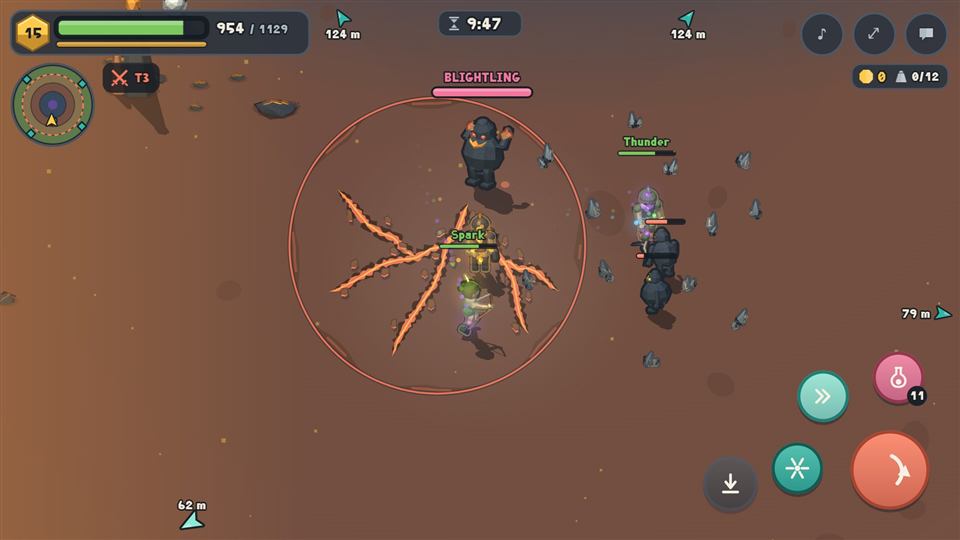
The outer ring, T1, has no player-versus-player fights, so you can learn the controls in peace — your first run even opens with a short tutorial. From T2 inwards other players can attack you, and you them. The deeper you go, the better the loot and the tougher the monsters: elites that telegraph their strikes on the ground, the Mossy Golem and the Hunter, a giant spider in the meteor chamber beneath the centre of the crater.
More to it than one round
You pick a class — the Warden, a hammer fighter, or the Skirmisher, who shoots from range — and your character grows with you. Loot comes in rarities from common to mythic, every ring has gear with its own look, and between runs you upgrade your items and build up the town. Team up with friends in a party of up to three, or settle it one on one in a Duel.
Free, with no pay-to-win
Every ring, boss and item is free. Only gems are paid, and you can also earn them in the game; they go to the Season Pass, which gives cosmetics. Gems never buy gear or stats.
Runs where you are
- Computer — an up-to-date browser (Chrome, Edge, Firefox, Safari) with 3D graphics (WebGL). Keyboard and mouse, or a gamepad.
- Android phone — in the browser, in landscape.
- iPhone — in Safari; added to the Home Screen, it launches full screen.